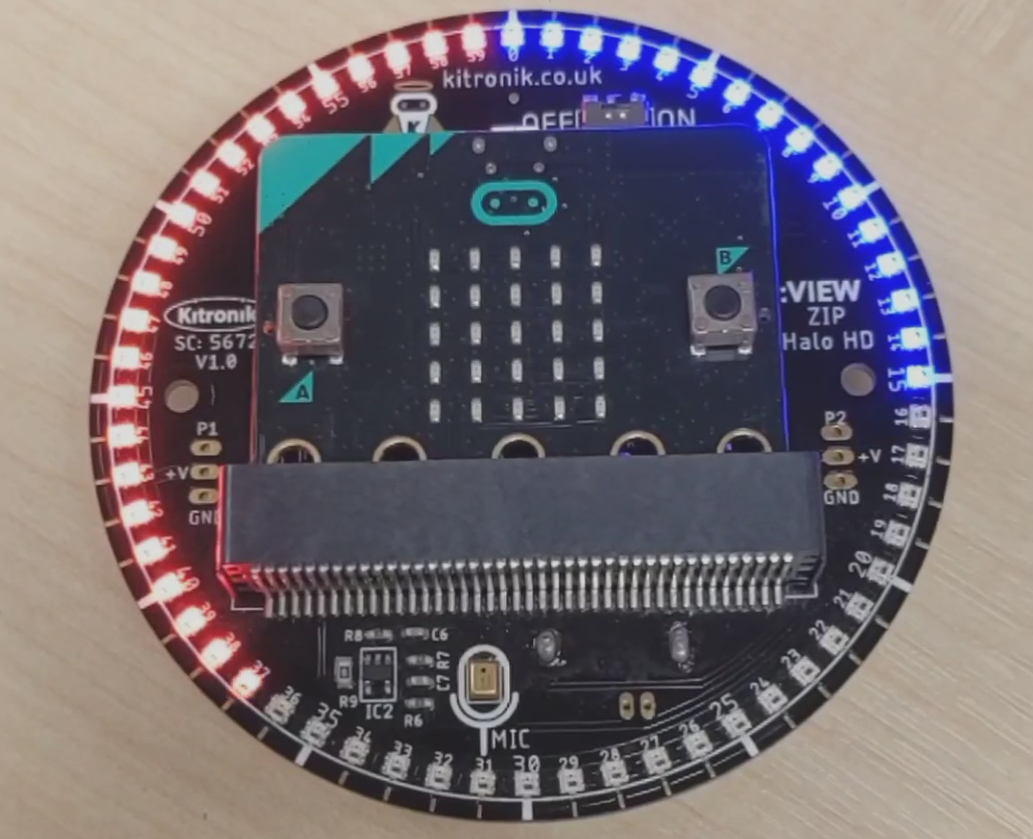
In this blog we are going to look at how we can multitask on the BBC micro:bit with MakeCode. In our example we used the Kitronik HaloHD to visually indicate the micro:bit running two different tasks at the same time. We show the micro:bit multitasking by having the HaloHD light up in two separate pulses, going in opposite directions at different times.

Below is the embedded MakeCode project we used for the HaloHD example. Next, we’ll step through how the multitasking parts of this project piece together.
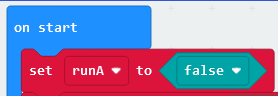
Inside the *on start *block we want to setup a flag variable called *runA* which we’ll set to *false*. The *runA *variable is used to tell the micro:bit when to start executing our two tasks.
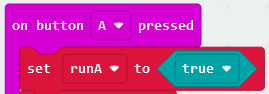
Next, we setup the *on button A pressed *block to trigger our tasks to run by setting *runA *to *true*.
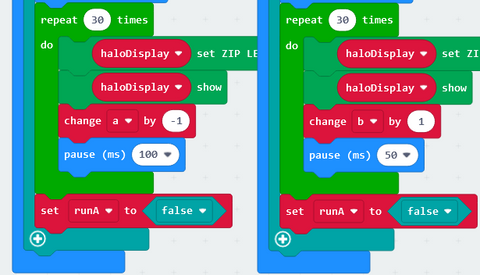
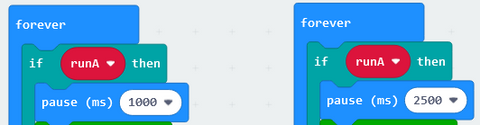
Then, we have our two *forever *loops which are used to run our two tasks. In each *forever *loop our task sits inside of an *if runA then* block. This means that when the *runA *variable is set to *true* the code inside the block will be executed. In the first task, we have the micro:bit pause for 1 second before it starts running the code in this task. In the second task, we have the micro:bit pause for 2.5 seconds before it starts running the code in this task. The different delays between the two tasks can be seen in the example as the blue side of the HaloHD begins to fill after the red side is already half full.
To allow for proper multitasking on the micro:bit, it is important that there is some delays inside of the task. This is done in the example by having the tasks *pause* for 50 to 100 milliseconds in between updating an LED. By having a *pause *block inside the task, we allow the micro:bit to swap over to the other task temporarily and continue executing the code inside of there.
Finally, at the end of each task we want to set the *runA *variable to *false,* to stop the tasks from being run again the next time the *forever *loop repeats itself.