
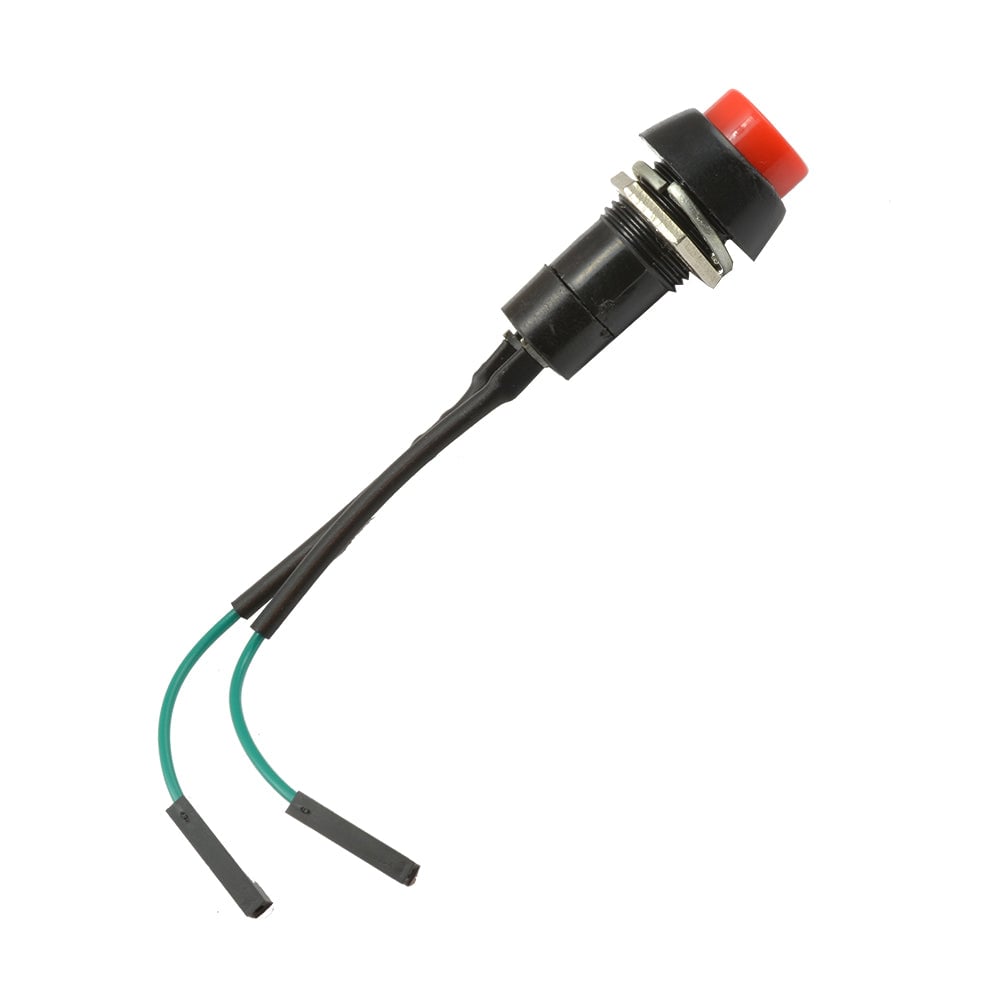
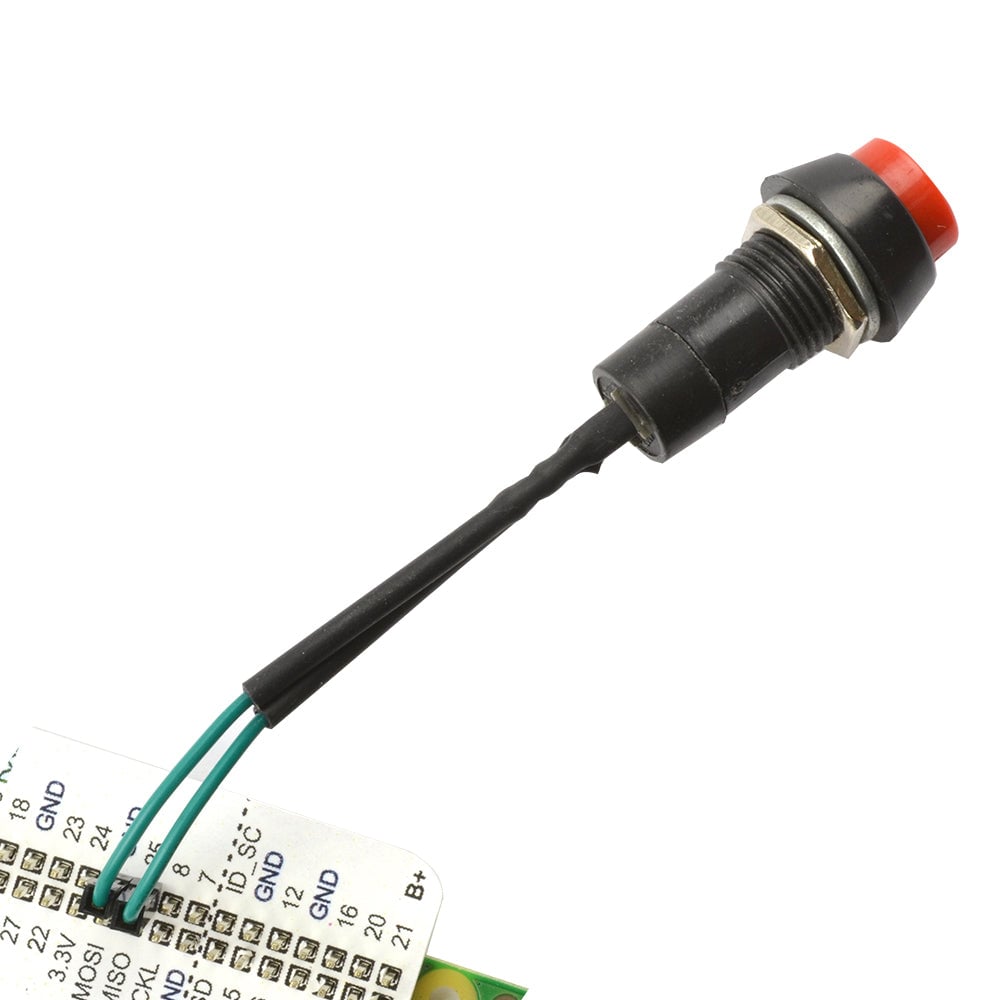


This Monk Makes Squid button for Raspberry Pi is a momentary non-latching switch with leads that terminate in female header sockets that fit over the GPIO pins on the Pi.
The button has a built-in resistor to protect against accidental damage to the Raspberry Pi. The resistor doesn’t affect the switching action/performance of the switch but if the switch is accidentally connected across power connections, the Raspberry Pi will not be damaged.
To connect the button to a Raspberry Pi, connect one lead to ground (GND) and the other to GPIO 25. If you have a leaf template, this is easy to spot, and if not you can count along to the right pin. It doesn’t matter which way around you connect the button, it will work the same in either configuration.
The squid button behaves exactly the same as any other button when connected between GND and a Raspberry Pi GPIO pin. The easiest way to use the button is to use the standard GPIO Zero Python library that assumes a switch between pin 25 and GND. See the instructions PDF for more details.
Features:
- A non-latching momentary switch designed for use with the Raspberry Pi.
- The leads terminate in female header sockets that can be pushed straight onto Raspberry Pi GPIO pins.
- It features a built-in resistor to protect the Pi from accidental damage.
- The easiest way to use the button is to use the standard GPIO Zero Python library.
- Full instructions can be found in the downloadable guide that covers both the squid button and the RGB squid LED.
Contents:
- 1 x Monk Makes – Raspberry Pi – Squid Button – non-latching.






Reviews
There are no reviews yet.