
Hello, and welcome! We hope you’re enjoying coding Mai-Z The MouseBot using the screen-free instruction blocks, and are ready to check your answers to the challenges!
There are multiple ways you can achieve this challenge.
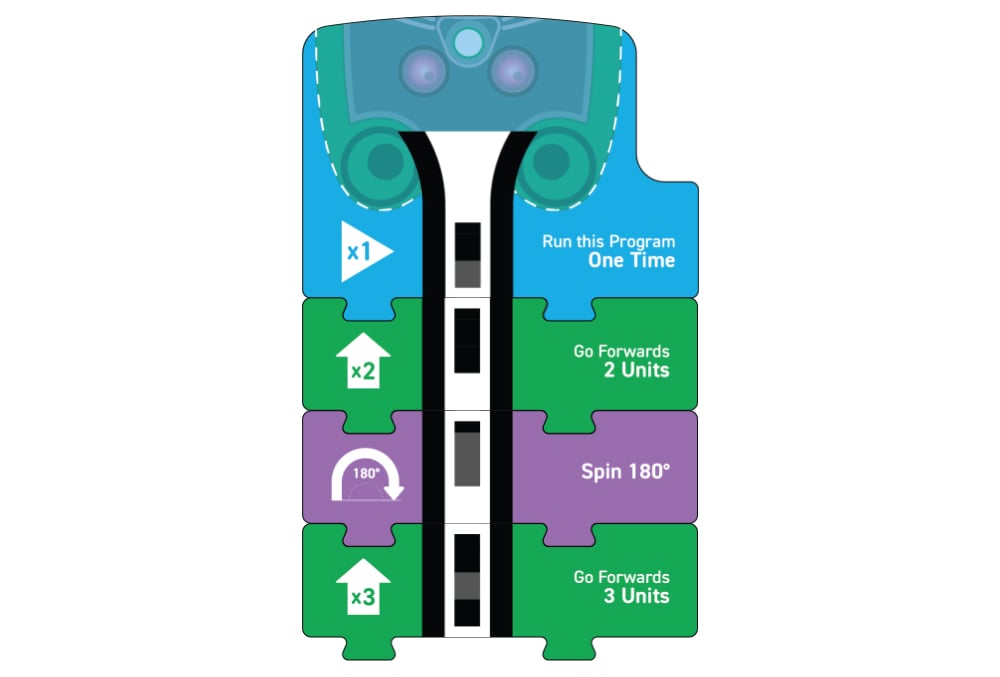
You need a start block, a ‘forwards x units’ block, a ‘spin 180°’ block, and the same ‘forwards x units’ block you started with.
This example should make Mai-Z move forwards 3 units, spin 180 degrees and move forwards 3 units, returning to the start point.
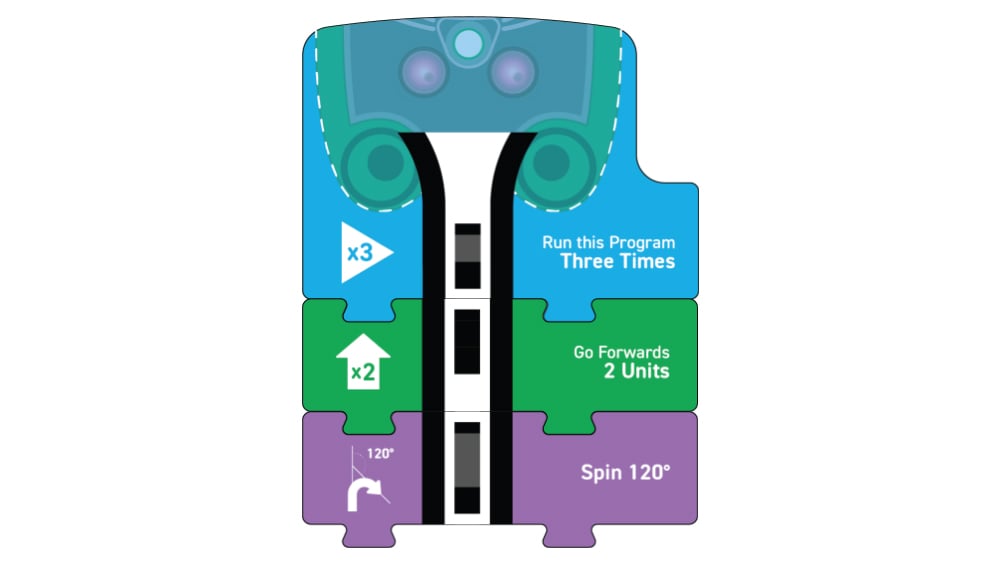
To create an equilateral triangle, you will need to use a ‘Run this Program Three Times’ start block.
You will then need to follow it up with a ‘go forwards x units’ block, and a ‘spin 120°’ block.
Here is one way in which you could code Mai-Z to sound the horn and flash the indicators when detecting an obstacle.
Remember to include your spin block so that Mai-Z spins and continues to move forwards.
Experiment with the different spin blocks to see how Mai-Z responds.
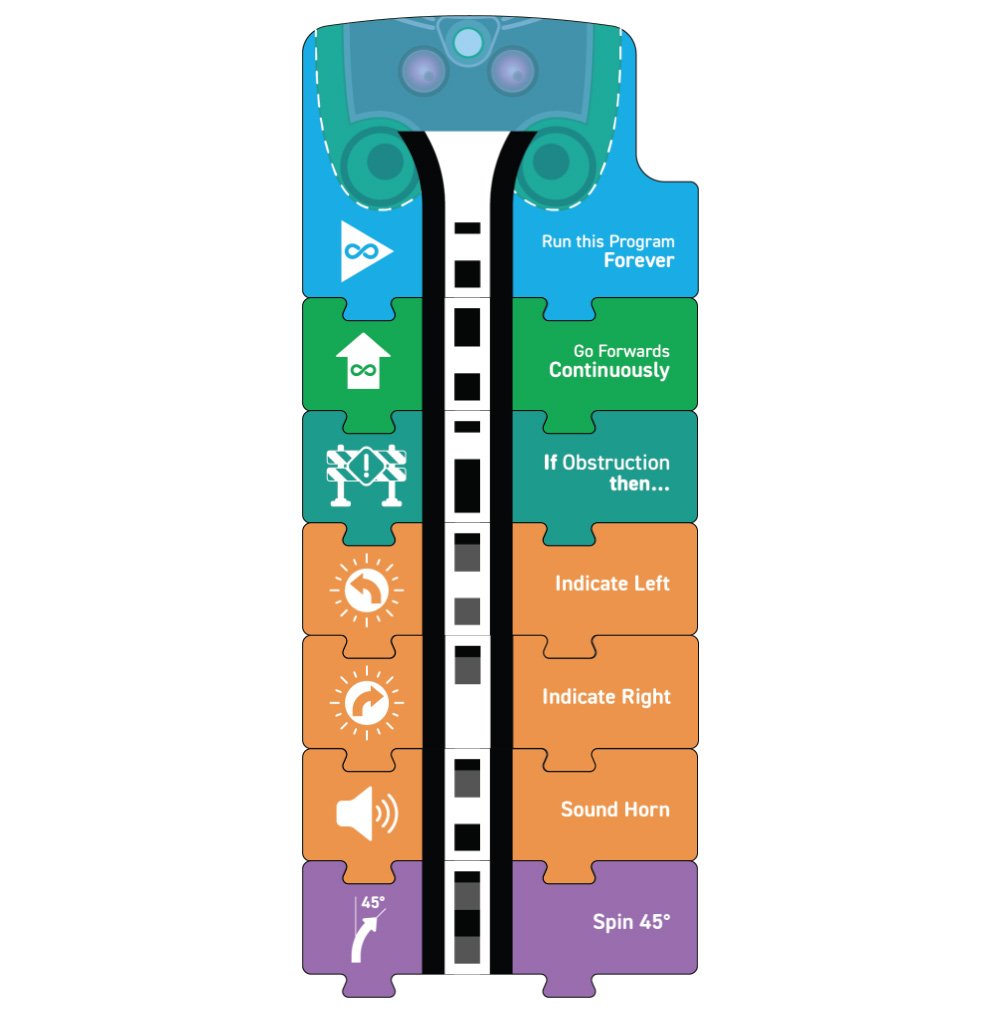
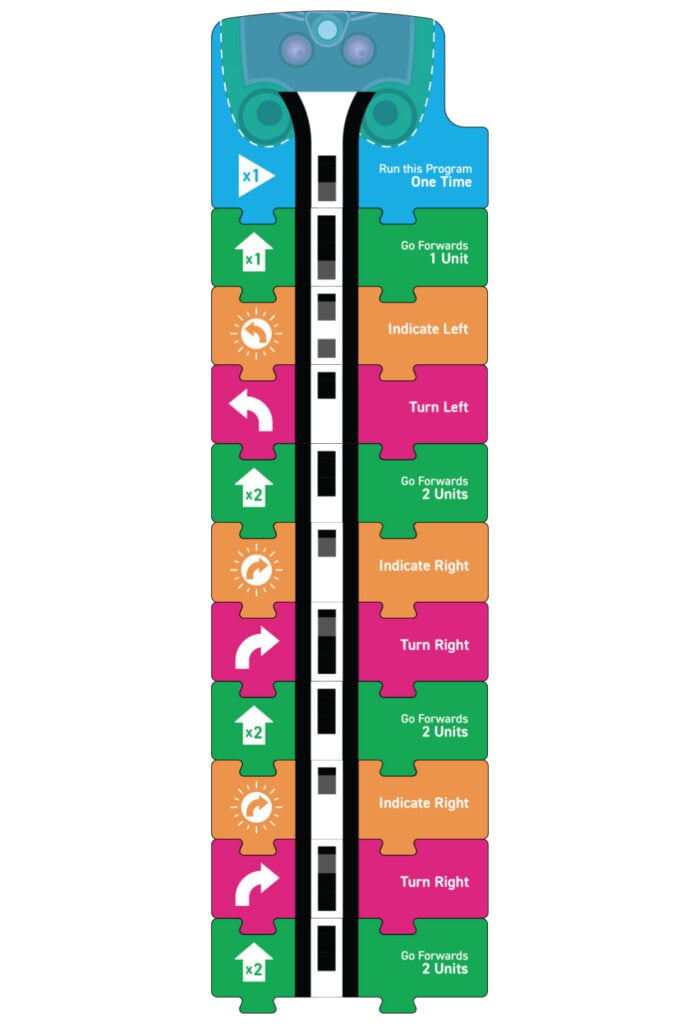
Here is the example code with the indicator LEDs added in.
When driving, it’s important to indicate before turning a corner, so that other drivers and pedestrians can see that you are about to turn. Therefore, the orange ‘indicate’ blocks go before the pink ‘turn’ blocks.
Is there a link to download a pdf of the SCREEN-FREE Programming booklet?
I could imagine after a couple classes, booklets getting lost or damaged.
Hi Steve, Included with the Kitronik Lesson in a Box – Screen-Free Programming Pack for Mai-Z there should have been a leaflet which included a link to a resource portal and a password to access this. Once login you would have access to a PDF and Powerpoint copy of the booklet.